您需要 登录 才可以下载或查看,没有账号?立即注册
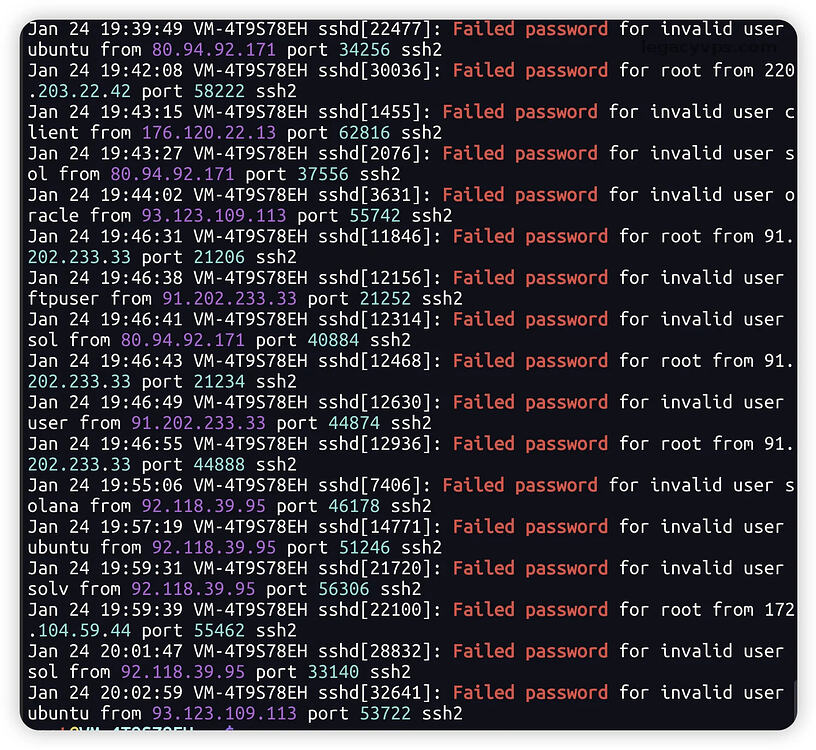
grep "Failed password" /var/log/auth.log
Failed password
Debian12
apt update && apt upgrade -y
timedatectl set-timezone Asia/Shanghai
adduser myadmin
usermod -aG sudo myadmin
sudo apt update
ssh-keygen -t ed25519 -C "your_email"
ssh-copy-id myadmin@ip_address
mkdir -p ~/.ssh && echo "公钥内容" >> ~/.ssh/authorized_keys && chmod 600 ~/.ssh/authorized_keys
DMIT
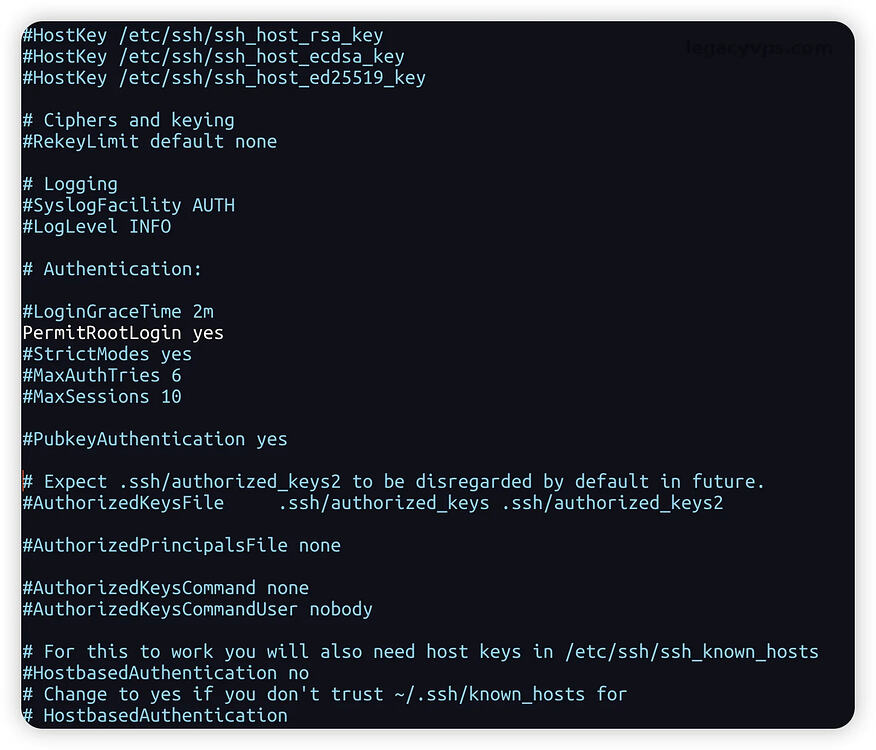
nano /etc/ssh/sshd_config
Port 22
Port 10086
很多厂商其实在重装系统的时候,就可以指定其他端口作为SSH连接端口,这样可以防止很多默认扫描行为,因为SSH在22端口是默认的,导致很多恶意扫描只针对SSH,如果其他高位端口,它还需要扫描你服务器的所有端口才能确定。
PermitRootLogin no
PasswordAuthentication no
systemctl restart sshd
apt install fail2ban -y
cp /etc/fail2ban/jail.conf /etc/fail2ban/jail.local
bantime
maxretry
fail2ban的配置文件位于/etc/fail2ban目录中。主要的配置文件是jail.conf,你可以在这个文件中定义全局设置,或者为不同的服务创建特定的规则。
/etc/fail2ban
jail.conf
3306
6379
使用道具 举报
本版积分规则 发表回复 回帖并转播 回帖后跳转到最后一页
相关侵权、举报、投诉及建议等,请发 E-mail:postmaster#idceve.com(#替换成@)
Powered by Discuz! X5.0 © 2001-2026 Discuz! Team.



 发表于 2026-9-6 18:16:34
 提升卡
提升卡 置顶卡
置顶卡 喧嚣卡
喧嚣卡 变色卡
变色卡 千斤顶
千斤顶